10 Less Known Things About The Helium 10 Chrome Extension
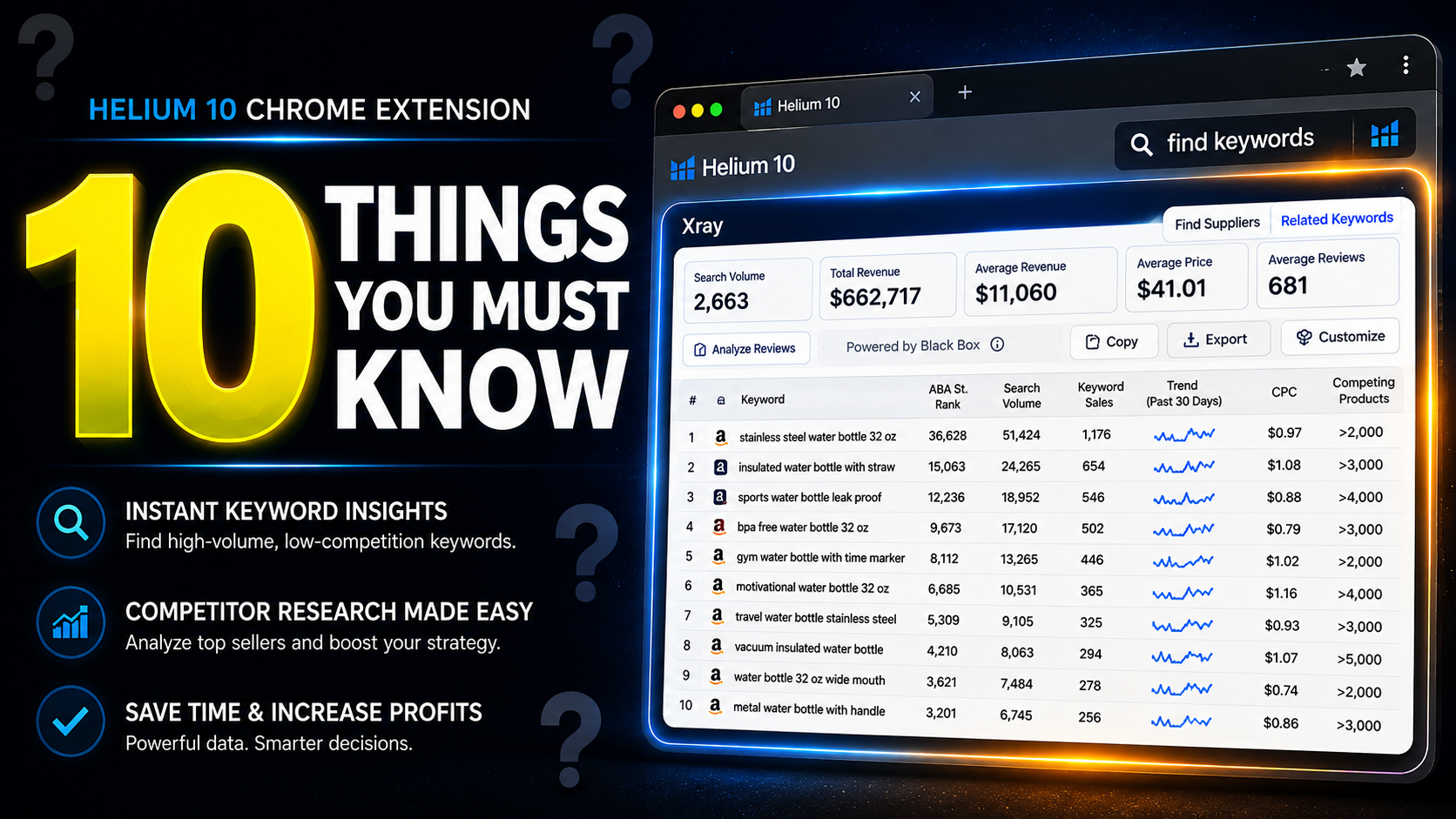
If you are a private label seller on Amazon, one bad product decision can cost you thousands of dollars. I've been there, and done that.
I mean, you can read my article about my story of losing money on Amazon. About $30,000. But I've learned a few things along the way, so you don't have to loose as much, hopefully.
Anyhow, as an Amazon seller, you pay for:
-
Product samples
-
MOQ (minimum order quantity)
-
Shipping
-
Packaging
-
PPC
-
Inventory
And once you send that wire transfer, there is no undo button.
That is why the Helium 10 Chrome Extension matters more for private label sellers than almost any other Amazon tool.
It can help you make strategic decisions, so you don't end up investing in products that might flop. I'll try my best in this article to help you use it well, so you can hopefully find good products for yourself.
Download Helium 10 Chrome Extension for Free
I’ve been selling on Amazon since 2016. I’ve used this extension for years. And most sellers still use maybe 30% of what it can actually do.
Here are 10 things most private label sellers don’t understand about the Helium 10 Chrome Extension.
Revenue Spread Matters More Than Total Revenue
When you open Xray inside the Helium 10 Chrome Extension, you see revenue numbers.
Most sellers look at total revenue and get excited.
Wrong move.
Instead, ask:
Is revenue evenly spread across many sellers?
Or is one listing taking most of the money?
If one seller controls 60–80% of revenue, that niche is controlled.
If revenue is balanced across 8–10 sellers, Amazon is sharing traffic.
For private label, balanced markets are healthier.
Click here to get the best deal for Helium 10 and free account
Review Velocity Is More Important Than Review Count
A listing with 2,000 reviews looks scary. Rightfully so. It is still important, of course.
But how fast are those reviews growing?
The Helium 10 Chrome Extension shows review changes.
If a competitor gains 80 reviews per month, they are aggressive.
If they gain 10–15 per month, growth is slower.
Review speed tells you how hard you will need to push with ads and promotions. Also, if you review getting strategy is weak, a given market that has fast review growth might be hard for you.
Price Clusters Show If You Can Position Higher
Check pricing in Xray.
By the way, Xray is the part of the Helium 10 Chrome extension that shows different numbers connect to a niche or a product on Amazon. I'd recommend you take my free Udemy course that shows how to use the Helium 10 Chrome extension. It will help you make the most out of it.
Back to pricing. Are all products between $19.99 and $21.99?
That means tight competition.
But if prices range from $18 to $35, that means:
-
Different positioning
-
Premium opportunity
-
Room for branding
Private label is about positioning, not copying the cheapest seller. Although in the case of $19.99 vs $21.99, there still might be a room for a premium product, or a very low price product, where you can have a good strategy with lowering FBA fees, hence winning with lower prices and still profiting.
Click here to get the best deal for Helium 10 and free account
Parent Listings Can Inflate Revenue Numbers
Some listings show huge revenue.
But then you check and see 15 variations under one parent.
That revenue is split between sizes, colors, bundles.
If you are launching one SKU only, you are not competing against the full revenue number.
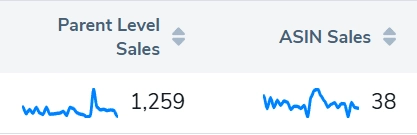
The Helium 10 Chrome Extension helps you see this clearly.
Always check variations before making decisions.
Title Quality Reveals Branding Weakness
Scroll page one.
Look at titles.
Are they keyword-stuffed and messy?
Or clean and brand-driven?
If most titles look generic, that is good for private label.
You can win with better branding and clearer messaging.
The Helium 10 Chrome Extension helps you quickly analyze competitors at scale.
Helium 10 Title Density is another good tool for analyzing titles.
Use Real Reviews + Xray Data Together (Most Sellers Don’t Do This)
Even without Review Insights (this part used to download most of the reviews on the listing), the Helium 10 Chrome Extension still gives you powerful data.
Here’s what smart private label sellers do:
Step 1
Run Xray and identify the top 3 revenue-generating ASINs.
Step 2
Open those listings and manually read 1-star, 2-star, and 3-star reviews.
Step 3
Look for patterns - not random complaints.
For example:
-
“Too small” mentioned repeatedly
-
“Lid breaks” mentioned many times
-
“Color not as shown”
-
“Cheap packaging”
Now connect that with what you saw in Xray.
If a product makes $40,000 per month AND customers complain about the same flaw…
That is opportunity.
Check If Amazon Is Selling the Product
The Helium 10 Chrome Extension shows seller types.
If Amazon is on the listing, think carefully.
Competing directly with Amazon is harder.
If most sellers are small FBA brands, competition is more realistic.
This simple check can save you from entering the wrong niche.
Use the Profit Calculator Before You Fall in Love with a Product
Inside the Helium 10 Chrome Extension, you can estimate FBA fees and margins.
Do this early.
Ask yourself:
After product cost
After shipping
After FBA fees
After 25–35% ads
Is there still profit?
Private label needs margin cushion.
If math does not work on day one, it will not magically work later.
Here's a useful post with Carrie Miller from Helium 10 about using the Helium 10 Profitability Calculator.
Count Sponsored Ads on Page One
Scroll through page one results.
How many sponsored placements do you see?
Top of page.
Middle of page.
Bottom of page.
If ads dominate everything, launch costs will be higher.
The Helium 10 Chrome Extension helps you see this fast while analyzing the niche.
More ads usually means:
-
Higher CPC (cost per click in Amazon PPC, pay per click ads)
-
Higher launch budget
-
Longer time to rank organically
Click here to get the best deal for Helium 10 and free account
Speed Is the Real Competitive Advantage
The biggest hidden benefit of the Helium 10 Chrome Extension is speed.
You can analyze:
-
Revenue
-
Trends
-
Variations
-
Fees
-
Seller type
In minutes.
Instead of spending hours in spreadsheets, you get instant clarity.
And for private label sellers, speed reduces emotional decisions.
The more niches you compare, the better your final decision becomes.
Common Mistake Private Label Sellers Make
Most beginners open the Helium 10 Chrome Extension, see $30,000 revenue, and assume:
“If I capture 10%, I make $3,000 per month.”
It does not work like that.
You are not guaranteed a percentage of revenue.
You must earn traffic, reviews, and conversion.
The extension shows opportunity.
It does not guarantee outcome.
Understanding that difference makes you a serious seller. I'd also recommend the Helium 10 Freedom Ticket course, if you are still not sure how to connect all the dots in the Amazon business game. This course helps you from A to Z with Amazon private label, good stuff.
Final Thought From Someone Who Has Been A User Of Helium 10 For Over 9 Years
The Helium 10 Chrome Extension will not find you a winning product. Well, it can sure help you gain insights into products, and even finding a potential winner.
But it will:
-
Expose weak markets
-
Reveal aggressive competitors
-
Show pricing reality
-
Force you to check margins
-
Reduce blind decisions
Private label is not about chasing winners.
It is about avoiding bad bets.
And before you send that deposit to China, or any other country, clarity matters more than excitement.
That is how I use the Helium 10 Chrome Extension.
Not as a shiny gadget.
But as a filter.
And for private label sellers, filters protect capital.
Click here to get the best deal for Helium 10 and free account