Helium 10 Black Box Tutorial for Easy Amazon Product Research

Discover how to use Helium 10 Black Box tool for product research, step by step, for great results!
Understanding the Power of Keywords: A Hands-On Guide
Imagine you're on Amazon, navigating the vast ocean of products.
How do you find the gems that are bound to make your FBA journey a success?
Keywords, right!
Helium 10 features a nifty tab inside its Black Box tool called Keywords.
Related Read: What is Helium 10 Black Box? Amazon Product Research 101!
It's like your treasure map, guiding you to those products that people are actively searching for and, most importantly, ready to spend their hard-earned cash on.
Get Helium 10 Free Account + Coupon Codes (VOVA10 for 10% Lifetime & VOVA6M20 for 20% 6-Month Discount)
So, what you can do is put your keywords in this tool to discover potential products by looking at the search volume.
High search volume equals high demand – simple as that.
Here's a quick rundown of how I do it:
- Setting the Stage with Search Volume: Open Helium 10 Black Box and go to the Keywords section.
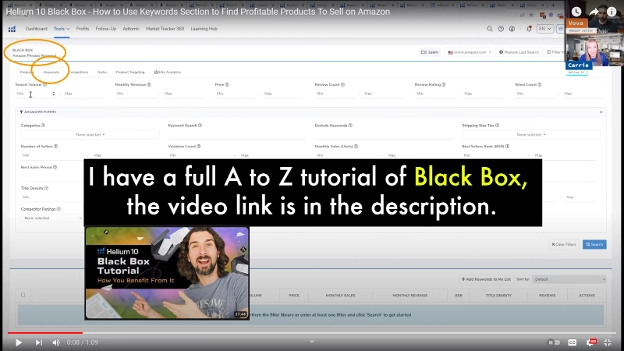
Start by setting a minimum search volume; I usually go for a minimum of 2500.
This ensures that there's a decent number of people actively looking for that particular product.
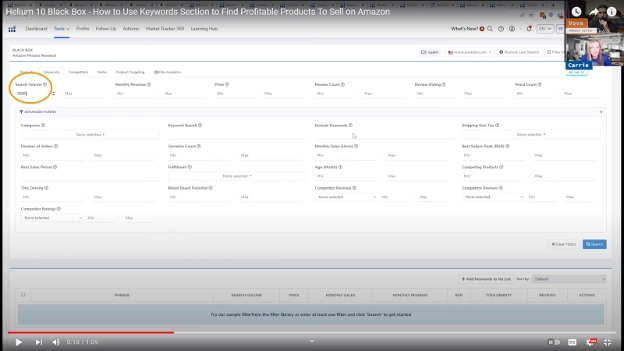
- Filtering Your Way to Success: Just like sorting out your spice rack, you can fine-tune your results by playing with filters.
Monthly revenue, price, and a minimum two-word count are some of the basics to kick off your search.
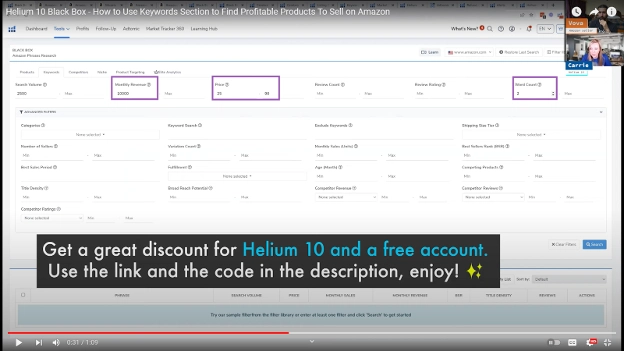
- The Magic Happens: Click the Search button and watch the magic happen.
The results will unveil potential products with good search volume ranges, not too crowded but with enough interest.
- Exploring the Gold Mine: Click on a product that catches your eye, like the "punching bag with stand."
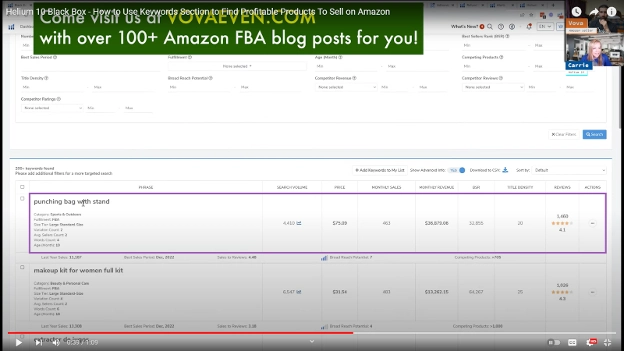
Want to take a closer look?
Simply click on those three little dots in the last cell of the row and hit "View on Amazon."
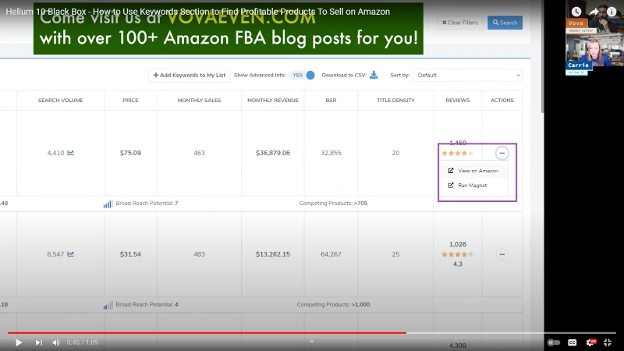
Boom!
You're on your way to potential profit.
These keyword results are like a gold mine of product ideas.
It's like having a sneak peek into what customers are actively looking for.

The search volume ranges give you a sweet spot – not too many searches that you'll get lost in the crowd, but enough to know there's genuine interest.
Remember, the more you play around with these filters, the better your results will be.
It's like fine-tuning your radio to catch that perfect station.
And just like that, you've got a starting point for your next winning product.
In Conclusion
In conclusion, if you're serious about upping your Amazon FBA game, don't underestimate the power of keywords.
Get Helium 10 Free Account + Coupon Codes (VOVA10 for 10% Lifetime & VOVA6M20 for 20% 6-Month Discount)
Dive into the Black Box Keywords feature, explore, experiment, and uncover those hidden gems that could be the next big thing in your FBA journey.
It's not rocket science – it's just good ol' keyword magic!
So, what are you waiting for?
Jump into the world of keywords, and let the FBA adventure begin!
Happy selling, folks!