AdFixer: Best Tool To Automate PPC Fast And Easy - Tutorial and Review
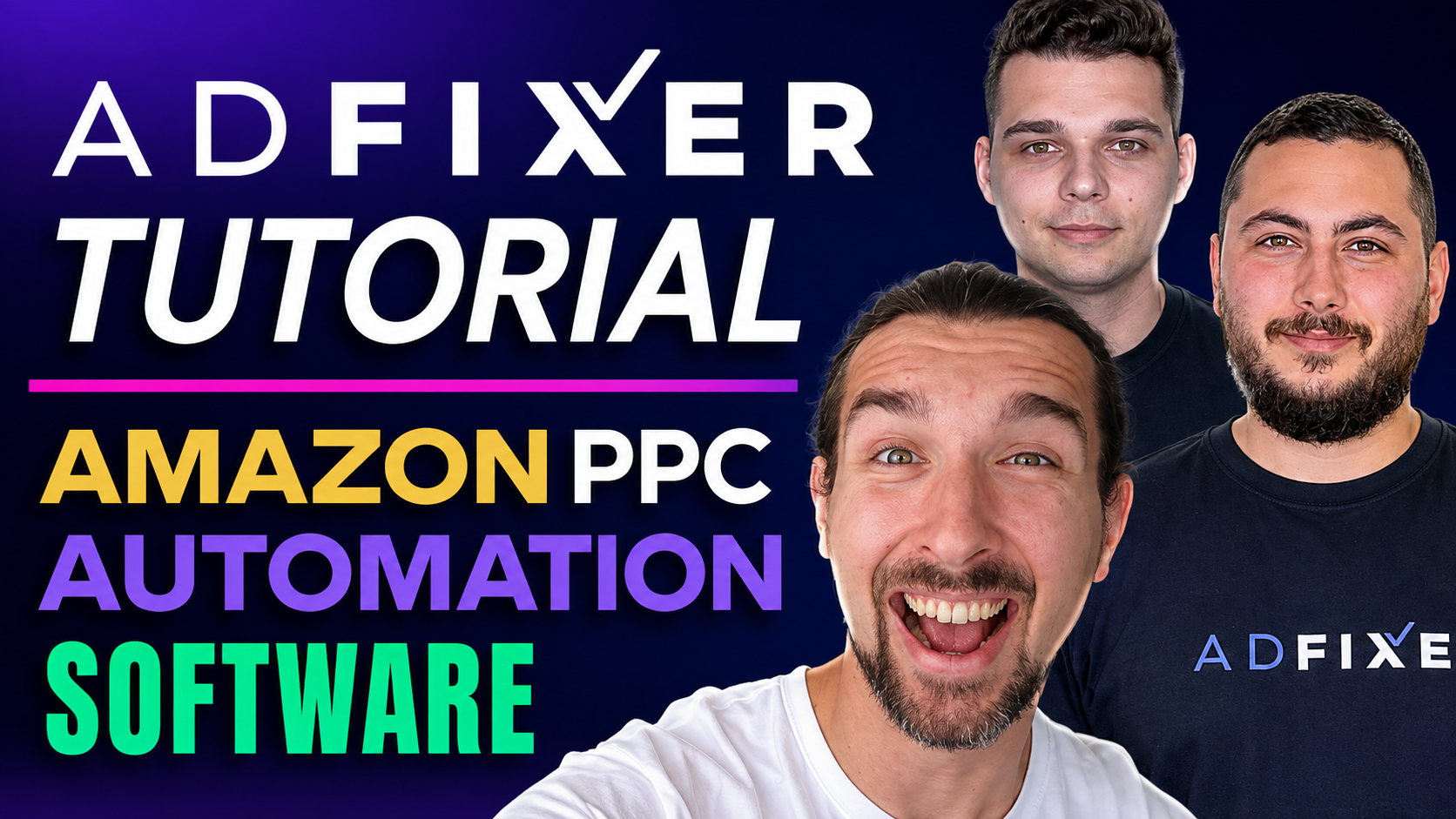
AdFixer is an Amazon PPC automation tool that builds, manages, and optimizes your campaigns using a structured funnel system.
Get a 14 Day Free Trial + 20% Off Recurring Discount on AdFixer
It handles keyword discovery, bid adjustments, and budget allocation automatically.
It’s best for sellers who want to reduce manual work, improve ACoS over time, and scale campaigns without constantly managing them.
-: Watch My A-Z Tutorial & Review of AdFixer :-
Quick Take (What You Need to Know Fast)
-
AdFixer automates full PPC campaign creation and optimization
-
It uses a 4-stage funnel to find and scale winning keywords
-
Best for beginners to intermediate sellers (with growing value for advanced users)
-
Focus is on TACoS and total sales, not just ACoS
-
Comes with a free trial + onboarding support
Get a 14 Day Free Trial + 20% Off Recurring Discount on AdFixer
Why Most Amazon PPC Feels Broken (And Where Automation Helps)
Managing Amazon PPC manually sounds simple, until you actually do it.
You launch campaigns.
Add keywords.
Adjust bids.
Check reports.
Repeat.
But very quickly, things get messy:
-
Too many keywords
-
Conflicting data
-
Wasted spend
-
No clear structure
And the biggest problem?
Most sellers don’t know what to optimize first.
That’s exactly where tools like AdFixer step in – not just to automate tasks, but to bring structure to the chaos.
What AdFixer Actually Does (Without the Marketing Noise)
At its core, AdFixer is not just a “bid optimizer.”
It’s a system that builds and manages your entire PPC funnel from scratch.
Instead of tweaking your existing campaigns, it creates a new structure that it can fully control and optimize ads.
Here’s what that means in practice:
-
It connects directly to your Amazon Seller Central account
-
Builds campaigns based on proven agency-level strategies
-
Continuously analyzes performance data
-
Makes daily adjustments automatically
The goal is simple:
👉 Find what works → scale it → cut what doesn’t
And it does this without you needing to manually intervene every day.
Get a 14 Day Free Trial + 20% Off Recurring Discount on AdFixer
How AdFixer Builds a Full PPC Funnel Automatically
This is where AdFixer separates itself from most tools.
Instead of running isolated campaigns, it builds a connected funnel system.
Each stage has a specific job.
The 4 Core Campaign Types
AdFixer creates four main campaigns for every setup:
-
Automatic Campaign
-
Research Campaign
-
Performance Campaign
-
Ranking Campaign
Each one plays a different role.
The first two focus on discovery.
The last two focus on scaling and ranking.
What Happens Inside Each Stage (Simple Breakdown)
The system starts by gathering data.
The automatic campaign runs broadly.
It doesn’t rely on manual inputs.
It simply collects search term data from Amazon.
At the same time, the research campaign tests keywords – either discovered automatically or added manually.
These are usually broad or phrase match keywords.
Once the system identifies keywords that convert, it moves them forward.
That’s when the performance campaign activates.
Now the focus shifts from testing to scaling.
Finally, the ranking campaign pushes top-performing keywords harder.
This is where aggressive bidding helps improve visibility and organic rank.
Get a 14 Day Free Trial + 20% Off Recurring Discount on AdFixer
But Here’s Where It Gets Interesting…
AdFixer doesn’t just move keywords forward.
It also:
-
Removes underperforming terms
-
Adds negative keywords
-
Reallocates budget toward winners
This continuous movement is what turns it into a self-optimizing system, not just a campaign builder.
How the Automation Actually Works (Behind the Scenes)
Let’s make this practical.
Once your campaigns are live, AdFixer starts analyzing:
-
Click-through rates
-
Conversion rates
-
Cost per click
-
Sales data
Based on this, it makes decisions like:
-
Increase bid → if keyword is profitable
-
Decrease bid → if performance drops
-
Pause or negate → if wasting spend
-
Promote → if consistently converting
This happens daily, without manual input.
Even small bid changes, just a few cents, can significantly impact performance.
The system adjusts these constantly, which is hard to do manually at scale.
Step-by-Step: How to Set Up AdFixer (Beginner Friendly)
Getting started is surprisingly fast.
You don’t need technical experience or advanced PPC knowledge.
Here’s how it works:
1. Connect Your Amazon Account
You log into AdFixer and link your Seller Central account.
It supports:
-
North America
-
Europe
-
Asia
You can connect multiple marketplaces at once.
2. Select Products for Your Campaign
AdFixer pulls in your product catalog automatically.
You then choose which products to include.
For most private label sellers, it’s better to:
-
Focus on top-performing products
-
Avoid adding too many at once
This keeps the data clean and optimization effective.
3. Choose Your Strategy
You’ll select a strategy (I’ll break these down in detail next).
This decision affects:
-
Bid aggressiveness
-
Speed of optimization
-
Budget usage
4. Set Budget and Target ACoS
This is where many sellers go wrong, but AdFixer simplifies it.
You define:
-
Daily budget
-
Target ACoS
The system then distributes your budget across campaigns automatically.
For example:
-
~50% goes to performance (once active)
-
Remaining split across discovery stages
This ensures money flows toward what’s working.
5. Launch Campaigns
Once you click create, the system builds everything.
It may take a few minutes to sync with Amazon’s API, but after that:
👉 Your campaigns are live
👉 Data starts flowing
👉 Optimization begins automatically
From here, your role shifts from “operator” to “monitor.”
Get a 14 Day Free Trial + 20% Off Recurring Discount on AdFixer
One Important Detail Most Sellers Miss
AdFixer does not modify your existing campaigns.
It creates new ones.
That means:
-
No risk to your current setup
-
You can test it safely
-
You can compare results side by side
If it works better (which is the goal), you can scale it further.
What Happens After Launch (What You Should Expect)
This is where expectations matter.
You won’t see perfect results on day one.
The system needs time to:
-
Collect data
-
Test keywords
-
Identify winners
In the early phase, performance may look unstable.
That’s normal.
The real value shows up as:
-
Improved conversion efficiency
-
More consistent scaling
Where Most People Misjudge PPC Tools
A common mistake is expecting:
-
Instant low ACoS
-
Immediate profitability
-
Perfect campaigns from day one
That’s not how PPC (or automation) works.
The goal is not instant perfection.
It’s progressive optimization.
And that’s exactly what AdFixer is designed to do.
Get a 14 Day Free Trial + 20% Off Recurring Discount on AdFixer
Which AdFixer Strategy Should You Choose (And Why It Matters More Than You Think)
Your strategy choice controls how aggressively AdFixer spends, tests, and scales.
Pick wrong, and you either move too slowly… or burn the budget too fast.
Pick right, and the system aligns with your margins, goals, and stage.
AdFixer gives you three options, but they’re not equal; they’re situational.
Passive Strategy: Slow, Safe, and Budget-Protective
This approach keeps bids low and moves cautiously.
It’s designed for sellers who care more about protecting margins than scaling fast.
You’ll spend less, but you’ll also learn slower.
Keyword testing takes longer, and results don’t show up quickly.
This works best when:
-
Your margins are tight
-
You’re risk-averse
-
You’re testing PPC for the first time
But here’s the trade-off most people underestimate:
If you go too conservative, you may never gather enough data to improve.
Normal Strategy: Balanced and Reliable (Default for Most Sellers)
This is where most sellers should start.
It balances testing and scaling without pushing too hard in either direction.
Bids are set at a level where:
-
You gather data at a reasonable pace
-
You don’t overspend aggressively
-
You still allow winning keywords to emerge
If your product is already selling and you want steady growth, this is usually the safest choice.
It also works well if your previous campaigns weren’t structured properly and you want a reset without going extreme.
Growth Strategy: Fast Ranking, Higher Risk
This is the aggressive option.
It pushes bids higher to gain visibility and sales faster, especially useful during launches.
The goal here isn’t efficiency at the start.
It’s momentum.
Because on Amazon, early sales signal relevance to the algorithm.
That said, this strategy assumes one thing:
👉 You can afford higher ACoS in the short term.
It’s best suited for:
-
New product launches
-
High-margin products
-
Competitive niches where speed matters
If your margins are thin, this can get expensive quickly.
Get a 14 Day Free Trial + 20% Off Recurring Discount on AdFixer
How to Choose the Right Strategy (Without Overthinking It)
Most sellers don’t need a complex framework here.
You can decide based on just two variables:
-
Your margin
-
Your goal right now
If your priority is survival → go Passive
If your priority is stability → go Normal
If your priority is growth → go Growth
But here’s a more realistic way to think about it:
Many sellers don’t stay in one strategy forever.
They shift.
Start aggressive during launch → then stabilize later
Or start balanced → then push growth once profitable
AdFixer allows that flexibility.
Budget and ACoS: Where Most Sellers Make Costly Mistakes
This is the part that quietly kills profitability.
Not the tool. Not the strategy.
Your expectations.
Most sellers set ACoS based on what they want, not what’s realistic.
And that leads to poor decisions from day one.
What Target ACoS Actually Means (In Simple Terms)
Your target ACoS tells the system how aggressive it should be.
Lower ACoS = tighter spending
Higher ACoS = more aggressive growth
But here’s the key:
It should be based on your break-even point, not guesswork.
If your break-even ACoS is 35%, that means:
-
At 35%, you’re not making profit
-
Below 35%, you’re profitable
-
Above 35%, you’re investing in growth
Get a 14 Day Free Trial + 20% Off Recurring Discount on AdFixer
The Real Strategy Most Sellers Should Follow
This is where experience matters more than theory.
When launching, many successful sellers intentionally set a higher ACoS than break-even.
Why?
Because early ranking matters more than short-term profit.
You’re essentially buying visibility.
Once traction builds, you tighten control.
For older products, the mindset flips:
-
Reduce ACoS gradually
-
Improve efficiency
-
Let organic sales carry more weight
That shift – from aggressive to controlled – is where profitability actually happens.
How AdFixer Handles Budget Allocation (And Why It’s Smarter Than Manual Setup)
Instead of forcing you to split budgets manually, AdFixer distributes it based on performance stages.
At the beginning, more budget goes into discovery.
That makes sense, you’re still testing.
As soon as the system finds converting keywords, budget shifts toward performance campaigns.
Later, when strong keywords emerge, ranking campaigns receive more weight.
So your money naturally flows like this:
👉 Testing → Validation → Scaling
Most sellers try to do this manually and fail because:
-
They react too late
-
They overcommit too early
-
They don’t track data consistently
Automation fixes that timing problem.
The “High-Impact ACoS” Feature (And Why It Solves a Hidden Problem)
There’s a specific issue most PPC setups struggle with.
Some keywords:
-
But have higher ACoS than your target
Normally, these keywords either:
-
Drain your budget
-
Or get paused too early
Both are bad decisions.
AdFixer handles this differently.
It isolates those keywords into a separate campaign.
This allows you to:
-
Keep benefiting from their sales
-
Control how much budget they consume
-
Prevent them from affecting your main campaigns
Think of these as “necessary but expensive” keywords.
Instead of removing them, you manage them intelligently.
Get a 14 Day Free Trial + 20% Off Recurring Discount on AdFixer
What You Should Actually Track (Hint: It’s Not Just ACoS)
Most sellers obsess over ACoS.
But that’s only part of the picture.
AdFixer emphasizes a broader view, especially TACoS (Total ACoS).
TACoS includes:
-
Ad spend
-
Total revenue (including organic sales)
Why this matters:
If your ACoS stays the same, but your organic sales increase, your TACoS drops.
That means your overall efficiency is improving, even if ads alone don’t look “better.”
The Metrics That Actually Tell You It’s Working
Instead of chasing one number, look for patterns.
You want to see:
-
Increasing total sales
-
Stable or improving TACoS
-
Better keyword consistency over time
Early on, numbers may fluctuate.
That’s part of the testing phase.
But over time, the system should:
-
Waste less budget
-
Focus more on converting keywords
-
Drive more predictable results
One More Reality Check Before You Scale
Automation doesn’t fix bad listings.
This is where many sellers get disappointed.
If your product has:
-
Poor images
-
Weak titles
-
Low reviews
No PPC tool will magically fix that.
AdFixer can drive traffic.
But conversion depends on your listing quality.
Strong PPC + weak listing = wasted spend
Strong PPC + strong listing = scalable growth
Get a 14 Day Free Trial + 20% Off Recurring Discount on AdFixer
Real Results: What Actually Happens When Sellers Use AdFixer
AdFixer sounds structured in theory, but what matters is how it performs in real accounts.
Across different seller types, the pattern is consistent:
-
Better campaign structure
-
Smarter budget allocation
-
Gradual improvement in efficiency
-
Stronger overall sales (not just ad performance)
Let’s break this down using real scenarios.
Case 1: Scaling an Already Profitable Account
This wasn’t a beginner.
The seller was already spending between €7,000–€9,000 per month on ads.
The problem wasn’t lack of effort, it
Some keywords were underbid and never reached their potential.
Others were overbid and draining the budget.
And with 20+ products, managing everything manually became inconsistent.
After switching to AdFixer:
-
Campaigns were rebuilt into a structured funnel
-
Budget started flowing toward proven keywords
-
Wasted spend was reduced
The result?
The account scaled to around €100,000/month in revenue, and the product reached top 10 in a highly competitive category (bed sheets).
No listing changes. No external traffic.
Just better PPC execution.
Case 2: A Beginner With a Small Budget
This is where most tools fail, but AdFixer holds up well.
The seller had:
-
A budget of around €500–€600
-
Missed the early launch phase
Initially, results were poor. High CPC. Low traction.
After implementing AdFixer:
-
CPC was brought under control
-
Campaigns were structured properly
-
Budget was used more efficiently
Over time, the product reached top 40 in its category (menstrual cups).
More importantly, it became profitable enough to reinvest.
This case highlights something important:
You don’t need a huge budget, but you do need a system.
Get a 14 Day Free Trial + 20% Off Recurring Discount on AdFixer
Case 3: Seasonal + High-Volume Catalog (Merch Model)
This is a completely different challenge.
The seller was running hundreds of products (print-on-demand model), where success depends on:
-
Timing
-
Trend detection
-
Volume testing
Managing this manually is almost impossible.
AdFixer handled it by:
-
Running campaigns across large product sets
-
Identifying winning designs early
-
Scaling them before peak demand
In one example, a single product generated thousands of sales in a month, driven purely by PPC.
The key insight here:
Automation isn’t just about saving time, it enables strategies that are otherwise not feasible manually.
Pricing Explained (And What You’re Really Paying For)
AdFixer uses a subscription model.
But unlike many competitors, it doesn’t take a percentage of your revenue.
That alone makes a big difference as you scale.
Here’s how the plans are structured:
<table><tbody><tr><td><p dir="ltr"><span>Plan</span></p></td><td><p dir="ltr"><span>Best For</span></p></td><td><p dir="ltr"><span>Ad Spend Limit</span></p></td><td><p dir="ltr"><span>Marketplaces</span></p></td></tr><tr><td><p dir="ltr"><span>Basic</span></p></td><td><p dir="ltr"><span>New sellers</span></p></td><td><p dir="ltr"><span>Up to $1,500/month</span></p></td><td><p dir="ltr"><span>2</span></p></td></tr><tr><td><p dir="ltr"><span>Standard</span></p></td><td><p dir="ltr"><span>Growing sellers</span></p></td><td><p dir="ltr"><span>Up to $5,000/month</span></p></td><td><p dir="ltr"><span>3</span></p></td></tr><tr><td><p dir="ltr"><span>Premium</span></p></td><td><p dir="ltr"><span>Scaling brands</span></p></td><td><p dir="ltr"><span>Up to $10,000/month</span></p></td><td><p dir="ltr"><span>Up to 10</span></p></td></tr><tr><td><p dir="ltr"><span>Infinity</span></p></td><td><p dir="ltr"><span>Full service / agencies</span></p></td><td><p dir="ltr"><span>Unlimited</span></p></td><td><p dir="ltr"><span>Unlimited</span></p></td></tr></tbody></table>There are two things worth noting.
First, pricing scales with ad spend, not revenue.
That keeps costs predictable.
Second, there’s a 20% discount, and if combined with yearly billing, the savings increase significantly.
Get a 14 Day Free Trial + 20% Off Recurring Discount on AdFixer
What Happens If You Outgrow Your Plan
This part is handled reasonably well.
If your ad spend exceeds your plan:
-
Campaigns do NOT stop
-
You’re notified
-
You can upgrade based on performance
There’s no sudden disruption, which is critical when campaigns are actively generating sales.
Pros and Limitations (No Tool Is Perfect)
AdFixer does a lot right, but it’s not for everyone.
Where It Stands Out
It simplifies something that’s usually complex.
You get:
-
A complete PPC structure (not just optimization)
-
Daily automated adjustments
-
Clear visibility into actions (via logs)
-
A system that improves over time
It’s especially valuable if you:
-
Don’t want to manage PPC daily
-
Struggle with campaign structure
-
Want predictable scaling
Where You Should Be Careful
It’s not magic.
There are limitations:
-
It doesn’t fix poor product listings
-
It requires time to gather data
-
Advanced sellers may initially feel a lack of control
-
It builds new campaigns instead of optimizing old ones (which can be a shift)
Also, if you expect instant results, you’ll likely be disappointed.
This is a system, not a shortcut.
Who AdFixer Is Actually For (And Who Should Skip It)
This is where most reviews stay vague, but this matters.
AdFixer is a strong fit if:
-
You’re a beginner or intermediate seller
-
You want to reduce manual PPC work
-
You prefer systems over micromanagement
-
You’re scaling multiple products or marketplaces
It becomes even more useful as complexity increases.
It’s probably not the best fit if:
-
You want full manual control over every detail
-
You already run highly optimized custom PPC systems
-
You’re unwilling to let automation make decisions
In those cases, it may feel restrictive.
Final Verdict: Is AdFixer Worth It?
If your goal is to simplify PPC while improving performance over time, AdFixer does exactly that.
It replaces scattered tactics with a structured system.
It won’t guarantee instant profitability.
But it will give you a framework that consistently moves in that direction.
And that’s what most sellers are missing.
Get Free Consultation With AdFixer
If you’re currently:
-
Spending too much time managing ads
-
Unsure which keywords to scale
-
Struggling to balance ACoS and growth
Then testing AdFixer is a logical next step.
The free trial makes it low-risk.
The structure makes it scalable.
And the results, when given time, speak for themselves.
Get a 14 Day Free Trial + 20% Off Recurring Discount on AdFixer