An Expert’s Guide For Amazon FBA Refund Reimbursements

In this guide
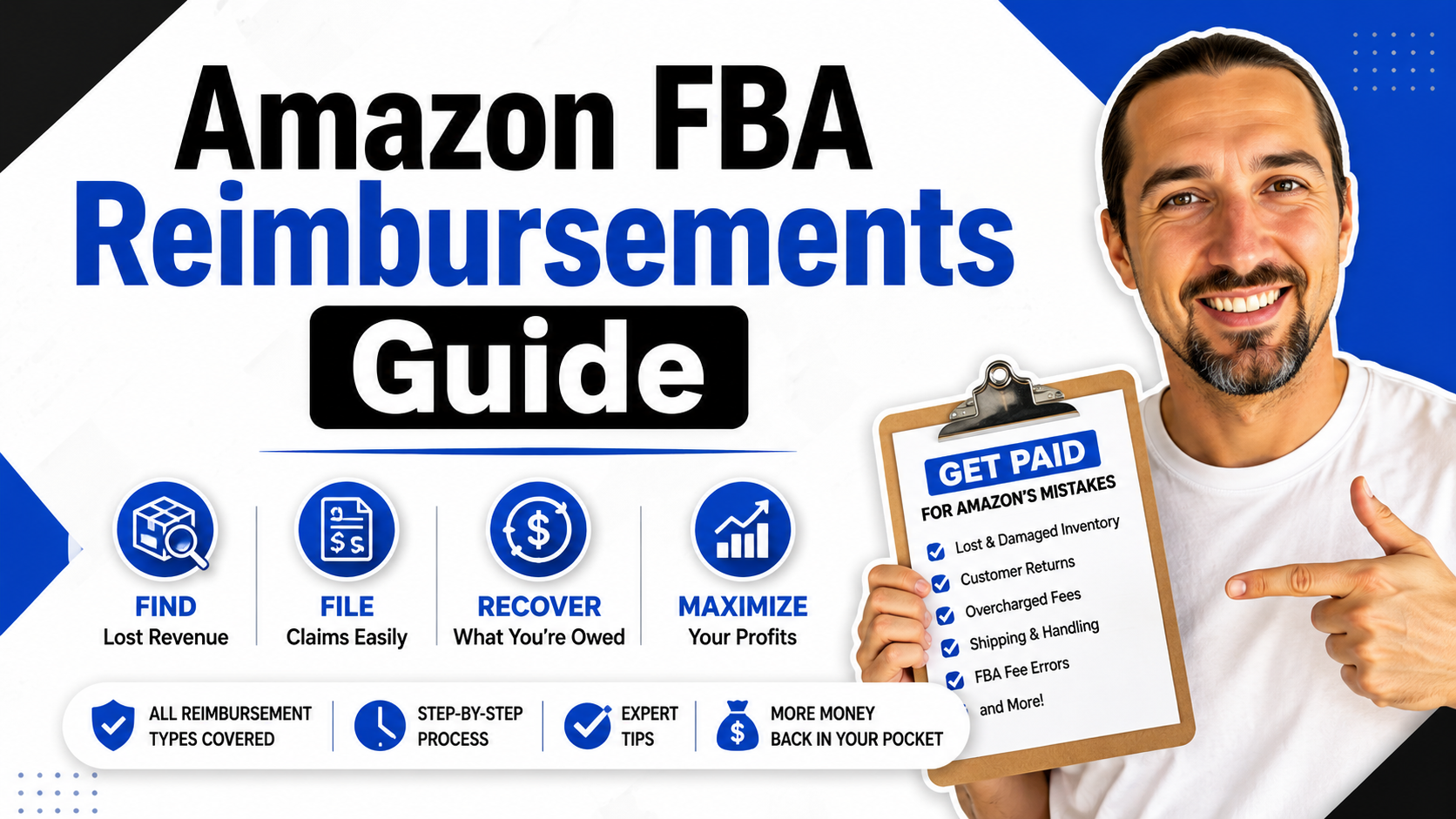
Amazon FBA reimbursements are one of those boring seller tasks that can quietly protect your profit.
When Amazon stores, moves, returns, removes, or handles your inventory, mistakes can happen. Units can be lost. Products can be damaged. Customers may get refunded without returning the item. Fees may be charged incorrectly. And if you do not check these issues, the money can simply stay gone.
That is why reimbursement work matters. It is not a trick. It is not a loophole. It is the process of finding valid FBA discrepancies, preparing the correct evidence, and asking Amazon to credit you when Amazon owes you money according to its current rules.
In this guide, I will walk you through what Amazon FBA reimbursements are, which claim types sellers should watch, when to handle the work yourself, when to use a reimbursement service, which tools can help, and how to avoid risky duplicate claims.
Getida Free Account + VOVA600 Offer
If you want a done-for-you Amazon FBA reimbursement service, start with Getida through my link below.
Getida Offer Link VOVA600
What Are Amazon FBA Reimbursements?
Amazon FBA reimbursements are credits Amazon may issue when an eligible FBA inventory or transaction problem causes a seller to lose money.
The easiest example is missing inbound inventory. You send inventory to Amazon. Amazon checks in fewer units than expected. If the missing units are not found later, you may be able to file a claim and request a reimbursement, as long as you have the right proof and the claim is still inside Amazon’s current window.
But missing inbound units are only one part of the story. FBA reimbursement work can also include warehouse damage, lost inventory inside Amazon’s network, removal order problems, customer return issues, refund errors, fee overcharges, and other inventory discrepancies.
Amazon may reimburse some issues automatically. That is helpful. But automatic reimbursements do not mean sellers should stop checking. You still need a process because some issues need review, evidence, or a case.
Related read: Amazon FBA Refund Reimbursements Case Study
Why Reimbursements Matter More Than They Look
A single missing unit may not feel like a big deal. But over months, hundreds of SKUs, repeated shipments, returns, removals, and fee adjustments can add up.
That is the real problem. Reimbursements are usually not one dramatic event. They are small leaks. A few lost units here. A refund that was never returned there. A disposal issue. A damaged unit. A weight or size mistake that affects fees. If no one checks, those small leaks can reduce your real profit without showing up clearly in your daily sales dashboard.
This is why reimbursement work belongs inside your Amazon operations routine. It is not only about getting money back. It is also about understanding where Amazon fulfillment, returns, storage, and fees are creating hidden losses.
| Hidden Loss
|
What Usually
Happens
|
Why Sellers Miss It
| | --- | --- | --- | |
Inbound Shortage
|
You send more units than Amazon receives.
|
The shipment closes later, and the seller moves on to other work.
| |
Warehouse Damage
|
Inventory becomes unsellable while inside Amazon’s network.
|
The damage may appear only inside detailed inventory reports.
| |
Customer Return
Issue
|
A customer gets refunded, but the returned unit is missing, damaged, or different.
|
Returns are messy and spread across different reports.
| |
Fee Overcharge
|
Amazon charges based on incorrect size, weight, or fee data.
|
The seller sees the sale, but not the quiet fee problem.
|
The Biggest 2025 Change: Reimbursement Value Now Depends More on Cost Data
The reimbursement game changed because Amazon now puts more weight on your sourcing or manufacturing cost for affected inventory.
That means reimbursement work is no longer just about proving that a unit was lost or damaged. You also need clean cost records, supplier invoices, and accurate sourcing-cost data. If your documentation is weak, your recovered amount may be lower than expected, even when the claim itself is valid.
Before you file or review claims, read Amazon’s current FBA reimbursement rules in Seller Central. Policies and claim windows can change, and you should always confirm the latest version before building your workflow.
You can start with Amazon’s official FBA inventory reimbursement policy and Amazon’s official program policy changes page.
Important: This article is educational. Amazon policies, reimbursement rules, claim windows, documentation requirements, and eligible claim types can change. Always check the current Seller Central policy before filing claims, hiring a provider, or building an internal reimbursement process.
What Types of Amazon FBA Reimbursements Should You Watch?
The most obvious claim type is missing inbound inventory, but serious reimbursement work looks wider than that.
You want to think through the full FBA journey. A unit can be lost before it checks in. It can be damaged inside the warehouse. It can be lost during a transfer. It can be removed, disposed of, returned, refunded, replaced, or mismeasured. Each situation may have different evidence, deadlines, and case requirements.
| Claim Area
|
What It Means
|
What You Need
to Review
| | --- | --- | --- | |
Lost Inbound
Inventory
|
Amazon receives fewer units than you sent.
|
Shipment records, packing slips, invoices, carrier proof, shipment reconciliation, and Amazon shipment status.
| |
Lost or Damaged
Warehouse Inventory
|
Units are lost or damaged while Amazon is responsible for them.
|
Inventory adjustments, reimbursement reports, event history, and cost documentation.
| |
Customer Return
Problems
|
A refunded item is not returned, is damaged, or is not the same item.
|
Return reports, refund data, customer order IDs, return status, and reimbursement reports.
| |
Removal or Disposal
Issues
|
Inventory is lost, damaged, or incorrectly handled during removal or disposal.
|
Removal order data, disposal records, shipment status, and inventory adjustment reports.
| |
Fee Overcharges
|
Amazon charges incorrect fees due to weight, size, referral category, or other fee data.
|
FBA fee preview, size-tier data, product dimensions, weight records, and fee history.
|
Related read: How to Get Reimbursed for Missing Inventory on Amazon FBA
Can You Handle Amazon Reimbursements Yourself?
Yes, you can handle reimbursements yourself, but you need time, patience, reporting skills, and a clean process.
The work sounds simple until you actually start doing it. You need to pull reports, compare quantities, match order IDs, check shipment IDs, understand which cases are already reimbursed, prepare evidence, and avoid opening weak or duplicate cases.
If you only sell a few products and your FBA activity is small, a DIY workflow may be enough. If your account has many SKUs, heavy FBA movement, lots of returns, or high inventory value, the time cost becomes much higher.
| Option
|
Best For
|
Main Risk
| | --- | --- | --- | |
DIY Reimbursement
Work
|
Sellers with fewer SKUs, simple operations, and enough time to learn reports.
|
Missing eligible claims or filing weak cases with poor documentation.
| |
Internal Staff or VA
|
Sellers who want control but can train someone properly.
|
The person may not stay updated on Amazon’s changing rules.
| |
Software Tool
|
Sellers who want help finding possible claims but still want to submit or review cases.
|
You still need to understand what the tool is showing you.
| |
Done-for-You
Provider
|
Busy sellers who prefer experts to audit, prepare, submit, and manage claims.
|
You must choose carefully and avoid overlap with other providers.
|
If you want to learn the process before deciding whether to outsource it, I recommend adding this Udemy course about how to use Getida with Yoni Mazor to your training list.
Related read: Free Amazon FBA Reimbursements Course With Getida and Yoni Mazor
Why the Work Gets Hard
The hard part is not only finding the mistake. The hard part is proving the mistake in the format Amazon needs.
A seller may feel confident that Amazon owes them money, but Amazon does not approve claims based on feelings. You need the shipment data, order data, reimbursement data, cost data, report exports, and a clear explanation of the discrepancy.
That is why I like to think of reimbursements as a math-and-evidence task. You are not just saying, “Amazon, please pay me.” You are showing the work. You are making the case easy to understand and hard to misunderstand.
-
You need to know which reports to pull.
-
You need to know whether Amazon already reimbursed the issue.
-
You need to file inside the right time window.
-
You need to keep cost documents ready.
-
You need to avoid duplicate claims on the same shipment, order, or unit.
-
You need to stay updated because Amazon changes reimbursement rules and workflows.
Related read: Who Can Do a Professional FBA Audit for Your Amazon Account?
Using Getida for Amazon FBA Reimbursements
This is where a service like Getida can make sense for sellers who do not want to manage the full audit process alone.
Getida through my VOVA600 offer link helps Amazon FBA sellers audit transactions, find reimbursement opportunities, and manage claims. Getida’s own website explains that third-party reimbursement services audit FBA transactions, identify discrepancies, and file claims on the seller’s behalf.
For many sellers, the biggest benefit is focus. Instead of spending hours comparing reports, you can let a specialized team handle the audit and case-management work while you focus on sourcing, inventory, PPC, product development, and account growth.
Try Getida for Amazon FBA Reimbursements
Use my Getida link to create a free account and start the reimbursement audit process.
Offer Link VOVA600
Related read: Getida Review: What It Is and How It Works
Using Helium 10 Refund Genie
If you already use Helium 10, Refund Genie can be a useful reimbursement tool to check.
Helium 10 describes Refund Genie as an Amazon refund manager that helps identify and recover money owed for incidents such as lost or damaged inventory. It can help sellers find potential reimbursement opportunities faster than doing everything manually.
For access, you can create a free Helium 10 account through my link. You can also check my Helium 10 coupon and discount link if you decide to upgrade later.
Related read: Helium 10 Refund Genie Review
Using Jungle Scout and Carbon6 for Revenue Recovery
Jungle Scout also has a reimbursement and revenue-recovery angle through its Carbon6 connection.
The official Jungle Scout FBA reimbursements page explains that Jungle Scout and Carbon6 work together to help sellers and brands recover lost revenue, audit deductions and errors, and manage case filing and follow-up with Amazon.
If Jungle Scout is already part of your Amazon tool stack, you can use my Jungle Scout best discount link to check the current offer. Then compare whether Jungle Scout, Getida, Seller Investigators, Helium 10, or another provider makes the most sense for your reimbursement workflow.
Related read: What Is Jungle Scout Amazon FBA Reimbursements?
Using Seller Investigators
Seller Investigators is another option for sellers who want a more service-led reimbursement workflow.
The service now appears under SPS Revenue Recovery for 3P Sellers. Its page explains that it audits stores, identifies eligible reimbursement opportunities, and manages the claim process for Amazon FBA discrepancies.
You can access my Seller Investigators reimbursement offer link if you want to explore that option.
Related read: Seller Investigators vs Getida Comparison
How to Compare Reimbursement Tools and Services
The best reimbursement option depends on how much control you want and how much work you want to do yourself.
Some tools help you find possible claims and prepare the data, but you still review and submit. Some providers manage more of the process for you. Some charge a monthly software fee. Others charge a percentage only after money is recovered.
| Option
|
How It Usually Helps
|
Best Question to Ask
| | --- | --- | --- | |
Getida
|
Audits FBA discrepancies and manages reimbursement claims.
|
Do you want a specialized service to handle most of the recovery process?
| |
Helium 10 Refund
Genie
|
Helps identify potential lost or damaged inventory reimbursements.
|
Do you already use Helium 10 and want reimbursement alerts inside your tool stack?
| |
Jungle Scout and
Carbon6
|
Combines Amazon growth data with revenue recovery support.
|
Do you want reimbursement help connected to a broader Amazon growth platform?
| |
Seller Investigators
|
Audits Seller Central data, identifies claims, and manages recovery work.
|
Do you want another dedicated service option to compare against Getida?
|
Related read: 7 Best Amazon Reimbursement Services Review
Are Amazon FBA Reimbursement Services Safe?
Reimbursement services can be safe when they follow Amazon’s rules, use proper permissions, avoid aggressive duplicate claims, and keep the seller informed.
The risk usually comes from bad process, not from reimbursement work itself. Opening the same claim multiple times, using more than one provider at the same time, submitting weak evidence, or pushing claims Amazon already denied can create problems.
This is why I do not recommend running multiple reimbursement services at once unless one experienced person is clearly managing the work. Overlap is dangerous. If two providers work on the same order ID, shipment ID, or claim type without coordination, they can step on each other.
| Safety Rule
|
Why It Matters
| | --- | --- | |
Use one main provider at a time.
|
This reduces duplicate work, overlapping claims, and confusing Seller Central activity.
| |
Ask what claim types they cover.
|
Not every service covers the same categories, reports, marketplaces, or workflows.
| |
Understand permissions.
|
You should know what account access the provider needs and why.
| |
Keep invoices and cost proof.
|
Current reimbursement value can depend on sourcing or manufacturing cost documentation.
| |
Track what has been filed.
|
A clear log helps prevent repeated claims on the same issue.
|
How Long Does It Take to Get Money Back?
The honest answer is that timing varies.
Some cases move quickly. Some take days. Some take weeks. Some get denied because the evidence is incomplete, the claim is outside the window, Amazon already reimbursed it, or the case was not explained clearly enough.
If you use a provider, the first phase is usually onboarding and audit setup. Then the provider reviews your account, identifies possible claims, prepares cases, and starts filing. Once cases are open, Amazon’s response time can vary by claim type and documentation quality.
The best thing you can do is not obsess over one exact timeline. Instead, build a repeatable system. Keep documents ready. Track claim status. Watch reimbursement reports. Make sure no issue falls through the cracks because no one checked it in time.
A Simple Amazon Reimbursement Workflow
A good workflow keeps you from guessing.
You do not need to make this complicated at first. Start with the areas where money is most likely to leak: inbound shipments, lost and damaged inventory, returns, removals, and fee changes. Then decide whether you will audit internally, use software, or hire a provider.
Common Mistakes That Cost Sellers Money
Most reimbursement mistakes happen because the seller waits too long, trusts automation too much, or lets several people touch the same claims without a clear owner.
-
Waiting until claim windows are almost closed.
-
Not keeping supplier invoices and sourcing-cost documentation organized.
-
Assuming Amazon automatically reimburses every valid issue.
-
Opening cases without proving the discrepancy clearly.
-
Using more than one reimbursement provider at the same time.
-
Failing to track which cases were filed, accepted, denied, or paid.
-
Ignoring small discrepancies because each one looks too minor on its own.
Related read: Helium 10 Refund Genie vs Seller Locker vs Refund Sniper
FAQ About Amazon FBA Reimbursements
What is an Amazon FBA reimbursement?
An Amazon FBA reimbursement is a credit Amazon may issue when an eligible FBA discrepancy causes you to lose inventory value or money. Common examples include lost inventory, damaged inventory, return issues, removal problems, or certain fee errors.
Does Amazon automatically reimburse sellers?
Amazon may reimburse some issues automatically, but sellers should still audit their account. Automatic reimbursement does not catch every possible issue, and some cases require seller action, proof, or a dispute.
Can I file FBA reimbursement claims myself?
Yes. You can file reimbursement claims yourself through Seller Central if you understand the reports, claim windows, documentation requirements, and case rules. The challenge is staying accurate, organized, and updated.
Should I use Getida for reimbursements?
Getida can make sense if you want a dedicated reimbursement service to audit FBA discrepancies and manage claims. You can use my Getida VOVA600 offer link to create a free account and test the process.
Is Helium 10 Refund Genie good for reimbursements?
Helium 10 Refund Genie can help identify potential FBA reimbursement opportunities, especially for sellers already using Helium 10. It may still require seller review and action depending on the claim type and workflow.
Can I use more than one reimbursement provider at once?
I do not recommend using multiple reimbursement providers on the same account at the same time unless the work is carefully coordinated. Duplicate claims and overlapping case activity can create unnecessary risk and confusion.
How much money can Amazon FBA sellers recover?
It depends on your sales volume, SKU count, inventory movement, return rate, documentation quality, and the types of eligible discrepancies in your account. There is no universal number that applies to every seller.
Where can I learn the Getida process?
You can start with my step-by-step Getida tutorial with Yoni Mazor and also enroll in the Udemy course about how to use Getida.
Final Thoughts
Amazon FBA reimbursements are not the most exciting part of selling on Amazon, but they can protect money you already earned.
If Amazon loses, damages, mishandles, overcharges, or incorrectly processes something in your FBA operation, you should not just ignore it. You should have a system for finding the issue, proving it, and asking for the correct reimbursement when you are eligible.
You can do that yourself. You can train someone internally. You can use a tool like Helium 10 Refund Genie. You can explore Jungle Scout and Carbon6. You can try Seller Investigators. Or you can use Getida if you prefer a dedicated service that handles more of the work for you.
The important part is not which option sounds the fanciest. The important part is that your process is accurate, safe, documented, and consistent.
Do not leave reimbursement money sitting inside Amazon’s system just because no one checked. And do not rush into weak claims either. Build the process properly, keep your documents ready, avoid overlap, and recover what you are legitimately owed.